

Introduction The shift toward hybrid work and interactive learning has made the traditional whiteboard nearly obsolete. Today’s classrooms and conference rooms require dynamic, connected hubs that seamlessly blend video conferencing, digital brainstorming, and multi-device presentation. The ZPNUZDU 55″ 4K UHD Smart Board aims to be that all-in-one centralized hub. By integrating a high-end touch display with a powerful built-in camera, robust audio, and a dual-operating system architecture, this smart board is designed to eliminate the need for projectors, external webcams, and messy cable setups. In this review, we will explore its hardware capabilities, software flexibility, and practical applications in professional and educational settings.
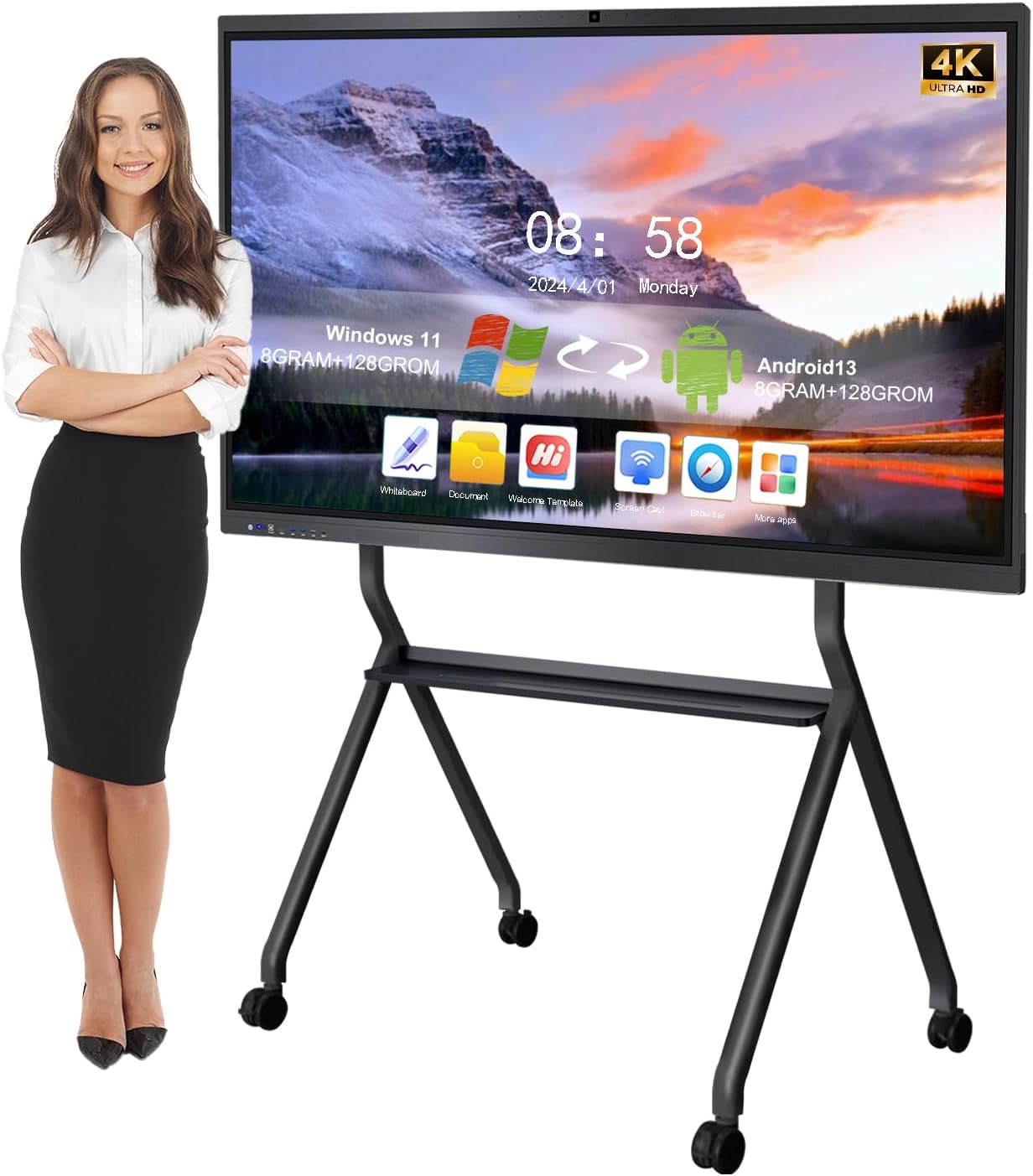
Design & Build Quality A 55-inch interactive display is a significant piece of hardware, and the ZPNUZDU board is built to withstand the rigors of daily public use. The chassis features a thickened aluminum alloy body framed by ultra-narrow 14mm bezels, giving it a sleek, modern appearance that looks professional on any boardroom wall. The display itself is shielded by anti-glare, explosion-proof tempered glass, ensuring that overhead office lights or classroom windows do not create distracting reflections, while also protecting the delicate LED panel from accidental impacts.
The package thoughtfully includes a heavy-duty wall-hanging bracket right out of the box, though it is important to note that if you require mobility between different rooms, a rolling floor stand must be purchased separately.
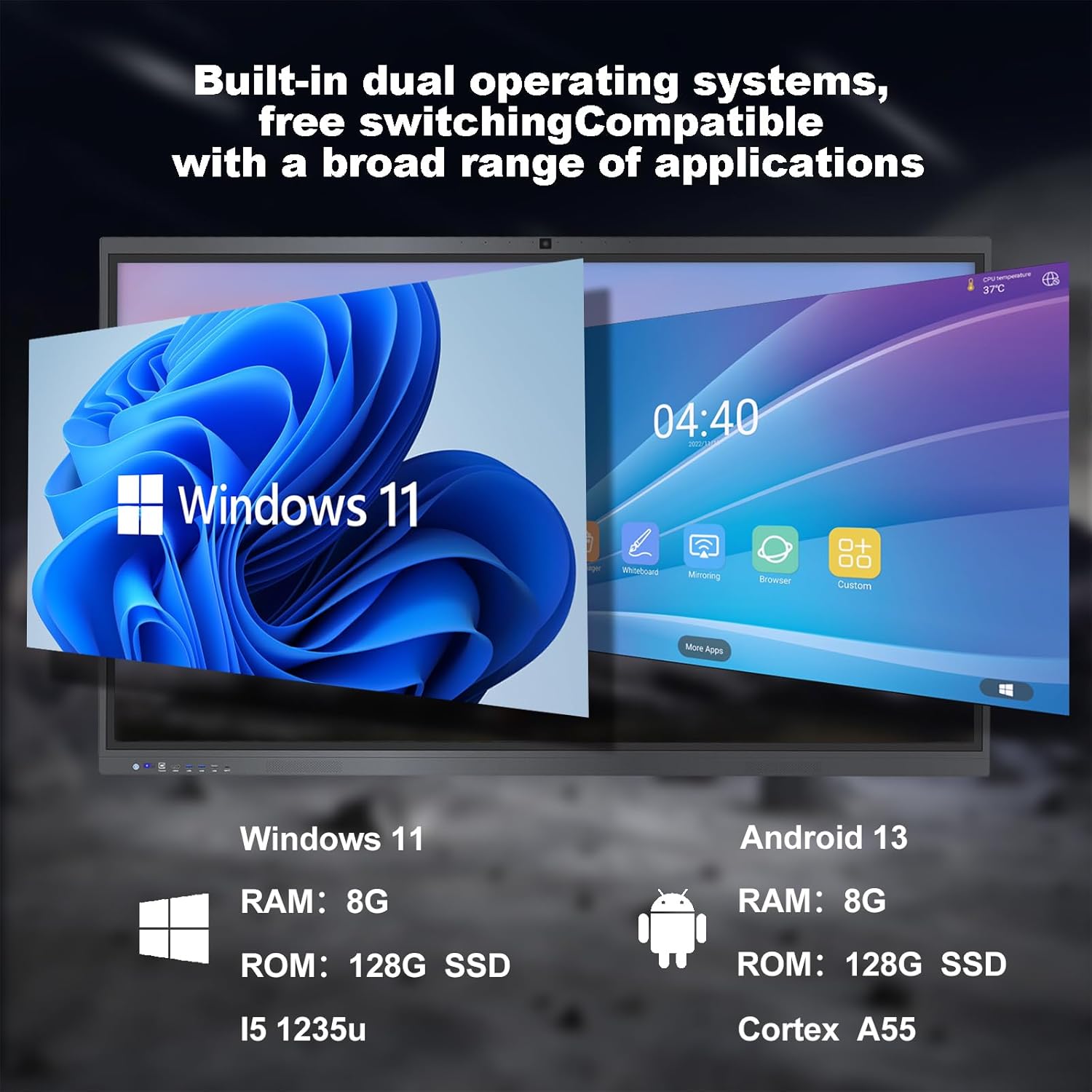
Features & Dual-OS Technology The standout feature of this smart board is its “Open Dual System” architecture, allowing users to switch seamlessly between Android and Windows environments depending on the task at hand.
-
The Android 13 Environment: Powered by a Cortex-A55 Quad-Core CPU with 8GB of RAM and 128GB of storage, this side of the board operates like a massive, lightning-fast tablet. It features an open application ecosystem, meaning you can download various educational games, quick-access office apps, and creative tools.
-
The Windows 11 Environment: For heavier lifting, the board relies on an integrated Intel Core i5-1235U processor, also backed by 8GB of RAM and 128GB of storage. This provides a full desktop PC experience, allowing you to run proprietary enterprise software, full Microsoft Office suites, and complex web applications without needing to plug in a separate laptop.
Conferencing & Interactive Performance Built specifically for the era of remote collaboration, the top bezel houses a massive 48-Megapixel high-definition camera. Paired with a dual 8-array wide-angle microphone system and dual 20W stereo speakers, the board acts as a premium standalone conferencing system perfectly optimized for Zoom, Google Meet, Microsoft Teams, and Webex.
When it comes to local presentation, the screen utilizes advanced infrared touch technology supporting 20-point multi-touch. With a rapid 6ms response time, writing on the glass feels fluid and natural, practically eliminating the dreaded input lag found on older digital boards. Multiple people can write, draw, or annotate over PDFs and PPTs simultaneously. Furthermore, the board makes sharing incredibly easy—at the end of a brainstorming session, users can simply scan a generated QR code on the screen to instantly save the whiteboard canvas directly to their smartphones.
Connectivity & Screen Mirroring In a BYOD (Bring Your Own Device) environment, connectivity is paramount. The ZPNUZDU board supports universal wireless screen projection. Whether your team is using iPhones, Androids, MacBooks, or Windows PCs, they can instantly cast their screens to the board using native protocols like Apple AirPlay, Miracast, and Chromecast. The system also supports intelligent split-screen displays, allowing you to run a video call on one half of the screen while pulling up reference documents or casting a mobile device on the other half.
Who Is This Product Best For?
-
Corporate Offices & Startups: Perfect for conference rooms where teams need to seamlessly switch between local brainstorming, displaying slide decks, and hosting high-quality Zoom calls with remote clients.
-
Educators & Training Facilities: An incredible upgrade for modern classrooms. Teachers can use the Windows side for heavy lesson planning and the Android side for quick, interactive student apps, utilizing the 20-point touch for group exercises.
-
Design & Creative Teams: The massive 4K canvas, zero-lag drawing, and instant cloud-sharing capabilities make it an ideal digital drafting table for mind-mapping and project storyboarding.
Final Verdict The ZPNUZDU 55″ Smart Board successfully condenses an entire IT closet’s worth of equipment—a 4K monitor, a Windows PC, an Android tablet, a premium webcam, and a conferencing soundbar—into a single, elegant pane of glass. The inclusion of a highly capable Intel i5 processor alongside an open Android ecosystem provides unmatched software flexibility. Backed by rigorous quality certifications (ISO, CE, FCC, RoHS) and a reassuring 3-year parts replacement warranty, this interactive whiteboard is a serious, high-value investment for any organization looking to modernize their collaboration spaces.

