

Roku Streaming Stick HD with Voice Remote Review
Upgrading an older television to a modern streaming experience usually sounds more complicated than it needs to be. The Roku Streaming Stick HD with Voice Remote is designed to make that process as close to plug-and-play as possible. It is a compact streaming player that plugs directly into a TV’s HDMI port, and according to the manufacturer, it is positioned as the easiest way to upgrade any TV to what is described as America’s number one TV streaming platform, based on hours streamed according to Hypothesis Group.
This review looks at what the Streaming Stick HD actually offers, how its design and features work in practice, and who is most likely to benefit from it. Everything discussed here is based on the product information provided by Roku, so where a claim comes from the manufacturer, it is presented as a stated claim rather than an independently verified result.
Design and Build
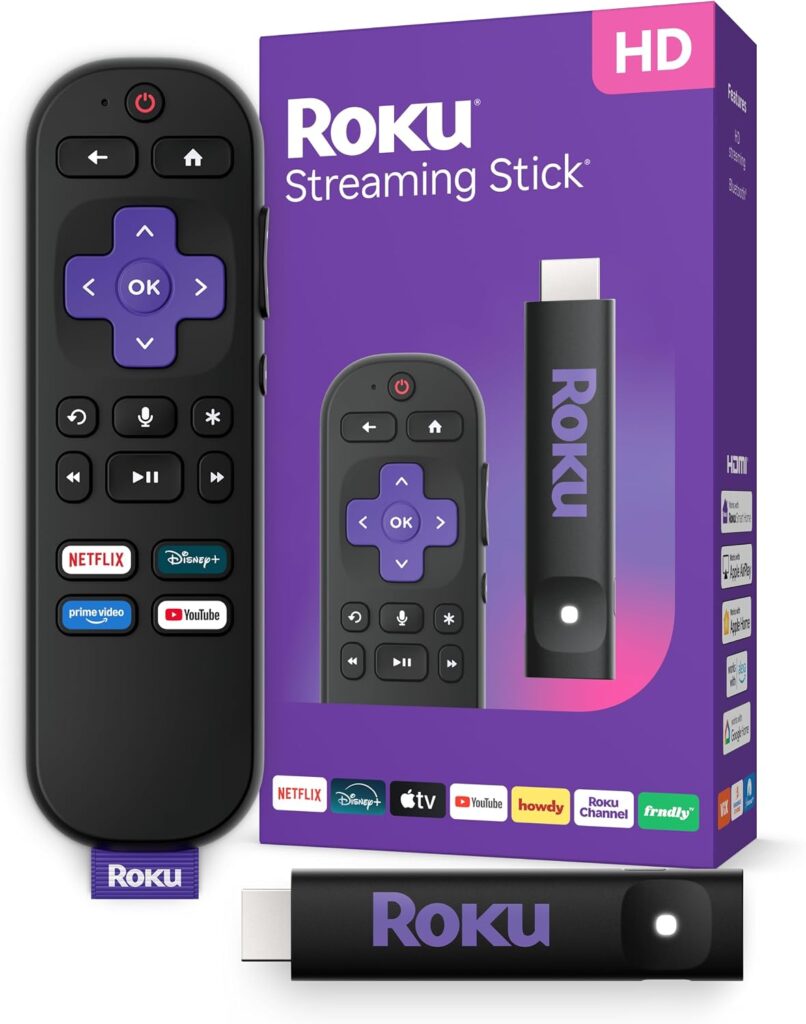
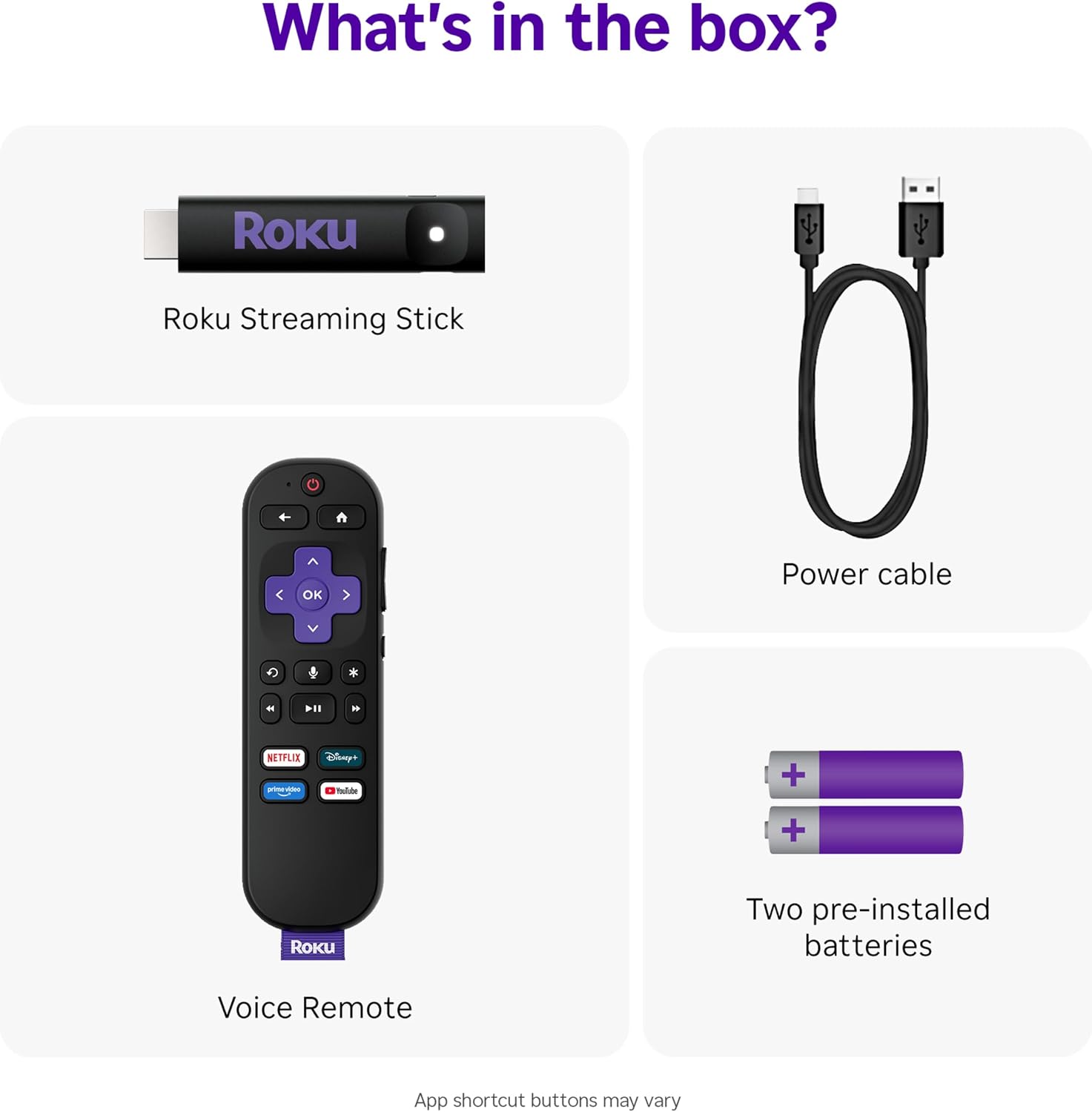
The most distinctive thing about the Roku Streaming Stick HD is its form factor. Instead of sitting on a shelf as a box with cables running to the TV, it is a stick-shaped device that plugs straight into an HDMI port. Roku describes the design as sleek and portable, and notes that it stays out of sight and out of the way of other HDMI ports. That last point matters more than it might seem. On many TVs, especially smaller or older models, HDMI ports are clustered closely together. A bulky streaming box or an oversized dongle can block the neighboring ports, which limits what else you can connect. Roku specifically states that the Streaming Stick’s design will not block neighboring HDMI ports.
Another practical design detail is power. The Streaming Stick HD is stated to power directly from the TV, meaning it does not require a wall outlet. That removes one cable from the equation and simplifies the setup considerably. Roku frames this as “no wall outlet, no extra cords, no clutter.” For anyone who has dealt with a tangle of cables behind a TV stand, that is a meaningful simplification, though it is worth noting that the exact power behavior can depend on the TV’s HDMI port capabilities, so results may vary by television.
The portable nature of the design also means the device can travel easily. Roku explicitly mentions taking your TV to-go when traveling without needing to log into someone else’s device. Because the stick is small and self-contained, it fits into a bag alongside other travel items, and it can turn a hotel TV or a rental property’s television into your own familiar streaming setup.
Features and Technology
The headline feature alongside the streaming hardware itself is the voice remote. Roku describes it as a remote that does it all, from adjusting the volume to controlling your streaming. The idea is to eliminate remote juggling. You can power up your TV, adjust the volume, and control the Roku device with a single remote. Voice search is built in, so you can use your voice to quickly search, play entertainment, and more, rather than typing out titles letter by letter with an on-screen keyboard.
The remote also supports Bluetooth Headphone Mode. This is a private listening feature that lets you crank up the volume without waking the house. For anyone who watches late at night in a shared home, that is a genuinely useful capability, and it is one of the more practical additions to the remote beyond basic navigation.
On the software side, Roku highlights access to 500+ free HD TV channels with live news, weather, sports coverage, and more. The platform also provides access to popular apps plus free movies, shows, and live TV. The emphasis here is on breadth: a mix of free content and the apps people commonly subscribe to, all reachable from one interface.
Performance and Everyday Experience
Roku’s stated goal with this device is to simplify television. The company describes setup that only takes minutes, a simple-to-navigate Home Screen, and an uncluttered remote control that does all you need. Those three elements work together. A quick setup gets you streaming without a lengthy configuration process. A clean home screen reduces the friction of finding something to watch. And a remote with fewer buttons but broader control means less confusion during everyday use.
The HD streaming experience is central to the product’s identity, as reflected in the name. The device is built around HD streaming, and Roku positions it as a straightforward way to bring streaming functionality to a television that may not have it built in. Because the stick draws power from the TV and plugs directly into HDMI, there is no separate power brick to manage and no additional box taking up space near the television.
It is worth being clear about what the supplied information does and does not cover. Roku makes claims about ease of use, setup time, and the breadth of free content, but the provided details do not include specific processor information, memory, supported resolution beyond HD, or Wi-Fi band details. Anyone with particular technical requirements should verify those specifics separately before purchasing.
Connectivity and Compatibility
The Streaming Stick HD connects through an HDMI port, which is the standard connection for modern televisions. Roku states that it can upgrade any TV, and the design is intended to work without blocking adjacent ports. Power is drawn from the TV itself rather than a wall outlet, which is a notable convenience but also means the TV needs to be able to supply power through its HDMI connection. The voice remote handles TV power and volume control in addition to streaming control, which suggests it is intended to work as a single-remote solution for the television as a whole.
Bluetooth Headphone Mode adds a wireless audio option for private listening. The supplied information does not specify which headphone models are supported or whether any additional pairing steps are required, so those details would need to be confirmed elsewhere.
Who Is This Product Best For?
Based on the stated features and use cases, this streaming stick suits a few specific situations. It is a natural fit for anyone with an older television that lacks built-in streaming apps, since the whole premise is upgrading an existing TV rather than replacing it. It also works well for people who want to reduce cable clutter, given that it powers from the TV and plugs directly into HDMI. Travelers are another clear match, because Roku explicitly highlights taking your TV to-go without logging into someone else’s device. Finally, households where late-night viewing is common may appreciate Bluetooth Headphone Mode for private listening.
Final Verdict
The Roku Streaming Stick HD with Voice Remote is a compact, travel-friendly streaming player built around simplicity. Its stick design avoids blocking other HDMI ports, it powers from the TV without a wall outlet, and the voice remote consolidates TV power, volume, and streaming control into one device. Roku’s claims about setup taking only minutes, a simple home screen, and access to 500+ free HD channels with live news, weather, and sports describe a product aimed at making streaming approachable rather than complicated.
Where the supplied information is limited, it is worth noting those limits. Details such as supported streaming resolution beyond HD, wireless specifications, and headphone compatibility are not included in the provided material, so buyers with specific technical needs should confirm those points independently. For the core purpose of turning a standard TV into a streaming-capable one with minimal fuss, the Streaming Stick HD presents a coherent, well-defined option, and its combination of portability, single-remote control, and private listening makes it a reasonable consideration for the right household.